Computer Use
Computer use lets a model operate software through visual and interactive interfaces, extending automation into the long tail of systems while making state, authority, and safety explicit.
Computer Use
When the API Was Not the Interface
When a reliable API exists, an agent should usually call it. A typed operation has a name, a schema, an authorization boundary, a result, and a place to put errors. Clicking through a screen is a poor substitute for that contract.
But a large amount of software is still reachable only through the interface designed for a person. A legacy desktop application may have no supported API. A vendor portal may expose a workflow only through a browser. A test environment may need to be driven exactly as a user would drive it. A business process may cross several systems whose individual interfaces were never designed to compose.
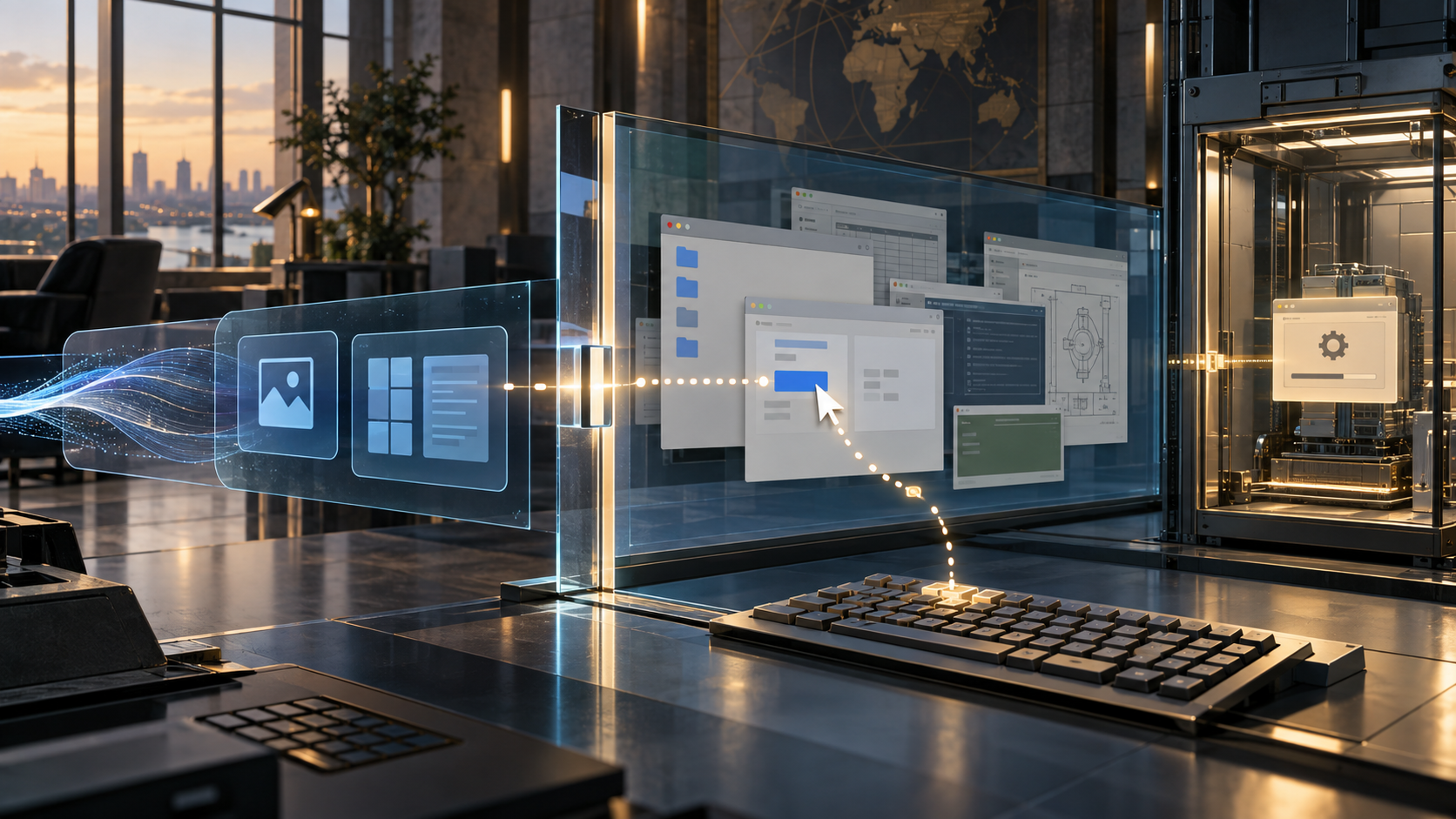
That is where computer use becomes interesting. The term describes systems in which a model observes a computer interface and proposes actions such as moving a cursor, clicking, scrolling, or typing. A controlled runtime executes those actions and returns a new observation. The loop can operate through a browser, desktop, virtual machine, or another interactive environment.
The promise is broad interface coverage. The cost is a weaker contract. Pixels, menus, and transient UI state do not tell the agent as much as a typed API does about identity, intent, preconditions, side effects, or correctness.
The durable pattern is therefore not “the model can click.” It is model-mediated interaction with an environment whose state must be observed, acted upon, verified, and governed. Computer use extends automation into the long tail of software, but it makes the boundary between perception and authority impossible to ignore.
This is Post 11 in The Abstraction Shift: How Software Keeps Moving Up.
In One Sentence
Computer use is a controlled perception-and-action loop in which a model interprets an interactive interface and proposes input events while a runtime owns execution, permissions, side effects, verification, and recovery.
The interface may be rendered as pixels, a browser page, an accessibility tree, or another representation of what a person can operate. The exact representation matters for reliability, but the architectural shift is broader: the model interacts with a software environment through an interface rather than through a domain-specific API.
The model may decide that the next move is to open a menu, enter a value, or scroll to a control. The runtime should decide whether that action is allowed, in which environment it runs, with which identity, and what counts as evidence that the intended state transition occurred.
Computer use is not a replacement for APIs, typed tools, or domain contracts. It is an additional interface adapter for cases where those contracts are unavailable, too costly to build, or insufficient for the task.
Why This Exists
The web and the desktop are full of software that works for a person but is difficult for another system to call.
The reasons are familiar:
- a legacy application has a private or undocumented interface;
- a supplier exposes only a portal;
- an internal workflow is spread across several user-facing systems;
- a product team needs end-to-end testing through the actual interface;
- an organization cannot justify an API integration for every low-volume process;
- a task depends on visual layout, focus, menus, drag-and-drop, or other interaction semantics;
- the real workflow includes manual judgment between otherwise repeatable steps.
Traditional automation handles some of this. It can replay mouse movements, select DOM elements, invoke accessibility actions, scrape screens, or drive a browser through a standard protocol. Those systems work well when the interface is stable and the task can be specified precisely.
The problem is the long tail. A fixed script becomes expensive when every site, application, version, and exception needs a new adapter. A model can bring semantic interpretation to a more general action space. It may recognize that a button labeled “continue” is the next step even when the page layout has changed, or infer which field corresponds to an instruction that was written in ordinary language.
That flexibility is useful, but it changes the engineering question. The system is no longer only deciding which API operation to call. It is deciding what the current interface means and which low-level action might change it.
What We Did Before
Computer use recomposes several older forms of automation. Each provides a useful comparison, and each has a boundary where the comparison stops being sufficient.
Keyboard macros and screen scraping
Macros replay a sequence of keystrokes or pointer movements. Screen scrapers read text or fixed regions from a display. They can bridge systems that have no integration surface, but they depend heavily on layout, focus, timing, and predictable state.
The model-mediated version adds interpretation. Instead of replaying exactly the same coordinates, the system can inspect the current screen and choose a move. That can improve adaptability, but the resulting path becomes probabilistic and needs stronger observation and verification.
Robotic process automation
RPA brought desktop and browser automation into business operations. Tools could record a workflow, target UI elements, move data between applications, and run repetitive back-office processes.
RPA made the operational concerns visible: credentials, queues, retries, exception handling, audit trails, and human handoffs. Computer use inherits all of them. A model can reduce the need to hard-code every layout assumption, but it does not remove the need for a process contract or a safe execution boundary.
Browser automation and WebDriver
Browser automation exposes a more structured interface than raw pixels. A test or workflow can locate elements, send input, navigate, wait for conditions, and inspect page state through a browser-control protocol.
This is usually preferable when the task is known and the DOM or accessibility structure is stable. Computer use may still be useful when the interface is inconsistent, the workflow crosses applications, or the system must operate at the same visual boundary as a person. The model adds breadth, not a guarantee that visual action is more reliable than structured automation.
Accessibility and assistive technology
Accessibility APIs expose names, roles, values, focus, and actions that are often more semantic than pixels. Assistive technology has long operated at the boundary between human intent and graphical interfaces.
This lineage suggests an important design choice. A computer-using agent should use the richest reliable representation available. If an action can be expressed as a named control with a known role, that is stronger than guessing a coordinate. Pixels may be the universal fallback, not the preferred contract.
Remote desktops and virtual machines
Remote desktop systems made a computer available as a stream of visual state and input events. Virtual machines and test environments made it possible to isolate and reset that state.
Those operational boundaries are central to safe computer use. The agent needs a controlled environment, not an unrestricted connection to a person’s desktop or a production workstation. Isolation, snapshots, scoped identities, network policy, and cleanup are part of the architecture.
Robotics perception and action
Robots observe an environment, choose an action, execute it, and observe again. They already face partial observability, uncertain perception, feedback delay, and the need to verify whether an action changed the world as intended.
Computer use is a digital instance of the same control problem. The environment is software rather than a physical room, but the model can still misread state, act on stale observations, or cause an irreversible transition.

Computer use extends the reachable surface of software, but it trades semantic contracts for broader interface coverage.
The Abstraction Shift: How Software Keeps Moving Up
An API-mediated operation has a relatively explicit shape:
intent → typed request → service validation → state change → typed result
A scripted browser or desktop workflow has a more positional shape:
script → selector or coordinate → interface event → UI state
Computer use adds model interpretation between observation and input:
goal → screen or interface state → model-proposed action → runtime execution → new observation
The difference is not that earlier automation was deterministic in every detail. Networks fail, pages change, and scripts can contain heuristics. The difference is that computer use makes the interface itself part of the model’s working context and makes action selection dynamic at the boundary where the environment is changed.
The model can operate across an interface it has not been given a domain-specific schema for. That is the source of its reach. It is also the source of its uncertainty.
What Is the Interface?
Computer use is often described as screen understanding plus mouse and keyboard control. That is a useful implementation example, but it should not become the definition of the pattern.
A system may have access to several representations:
| Interface surface | What it exposes | Strength | Typical weakness |
|---|---|---|---|
| Domain API | typed operations and domain results | semantics, validation, and explicit authority | may not exist or may not cover the workflow |
| Browser or accessibility structure | roles, names, elements, focus, and state | more stable and inspectable than pixels | can be incomplete, inconsistent, or application-specific |
| Visual screen | rendered controls and layout | broad coverage of what a person can see | ambiguous state, weak semantics, and layout sensitivity |
| Keyboard and pointer events | low-level inputs | universal action vocabulary | does not express intent or guarantee the result |
The richest available interface should usually be preferred. A computer-use runtime can combine structured observations with screenshots and use visual interaction when the higher-level surface is missing or unreliable.
This leads to a practical rule: treat computer use as a fallback across semantic boundaries, not as a reason to abandon good interfaces. If a stable API exists, use it. If only a structured browser or accessibility surface exists, use that where possible. If the workflow is available only through visual interaction, isolate and govern the visual path.
What’s Actually New?
The interface becomes model context
In conventional automation, the interface is targeted by a script written against known elements or coordinates. In computer use, the current interface state is supplied to a model that interprets it in relation to a goal and prior actions.
The model may identify an unfamiliar control, notice a validation message, or infer that a previous click did not produce the expected transition. This is closer to perception than to a normal function call.
The implication is that context engineering now includes screen state, focus, cursor position, open windows, user-visible warnings, and the history of actions. A screenshot is not just an input image. It is a partial and time-sensitive representation of the environment.
The action space is more general
A domain tool might expose operations such as create invoice, approve claim, or update customer. A computer-use tool may expose a smaller universal vocabulary: click, type, scroll, drag, key press, and wait.
That makes the model’s interface reusable across applications. It also moves more meaning into the model’s interpretation of the screen. The action itself is simple; deciding which control it affects and what it will do is not.
The environment provides feedback after every move
A tool call normally returns a structured result. A computer-use action returns a changed interface that may need to be interpreted again.
This creates a perception-action loop. The system should not assume that a click succeeded because the event was delivered. It should inspect the resulting state, verify the expected transition, and decide whether to continue, recover, ask for help, or stop.
Human confirmation becomes part of the protocol
Some actions are not safe to infer from an instruction alone. Sending an email, submitting a form, purchasing an item, deleting a record, publishing a change, or entering a credential can have external consequences.
A confirmation step is not merely a user-experience flourish. It is a protocol boundary between proposed intent and irreversible effect. The runtime should know which actions require confirmation and should make the pending effect legible before allowing it.
The execution environment becomes a security boundary
An API integration can scope permissions to an operation. A computer session may expose a much wider surface: pages, files, clipboard contents, browser storage, applications, network destinations, and whatever the signed-in identity can reach.
The environment therefore needs isolation and least privilege. A browser profile, virtual machine, container, or remote session should be provisioned for the task, with explicit network, filesystem, credential, and application policy. The goal is to limit the blast radius when the model makes a mistake or encounters hostile content.
Interface automation becomes a bridge to the long tail
Computer use can make an application reachable without waiting for a new integration. That is strategically important for old enterprise estates where the visible interface is the only maintained contract.
But this is an adapter at the edge, not a new system of record. The underlying application remains authoritative for its state. The computer-use layer should report what it attempted and observed, while the domain system confirms whether the intended business transition actually occurred.
Where the Analogy Breaks
The analogy to browser automation and RPA is useful, but model-mediated interaction adds failure modes that need explicit design.
Pixels are not a contract
A screen shows a presentation of state, not the full state model. A button may be visible but disabled. A value may be truncated. A warning may be below the fold. A modal may have captured focus. A display may be stale while a background operation is still running.
The model can infer from the screen, but it cannot assume that the pixels expose all preconditions or side effects. Independent application checks should confirm important transitions.
A delivered action is not a successful operation
The runtime may successfully send a click or keystroke while the application ignores it, applies it to the wrong control, or changes state in an unexpected way. Computer use needs post-action assertions, not only action delivery logs.
For high-consequence work, the final state should be checked through a structured domain read, a confirmation screen, or another independent signal. “The cursor clicked submit” is not evidence that the submission was accepted.
Pointer actions are often not idempotent
Repeating a GET request is different from repeating a click on “charge card,” “send,” or “delete.” A retry after an uncertain screen transition can duplicate a side effect.
The workflow needs idempotency keys where the underlying application supports them, state checks before retry, checkpoints, and a policy that escalates rather than repeats an uncertain irreversible action.
The model sees content that can attack it
Web pages, documents, messages, and application fields can contain instructions crafted to redirect the agent. A visible instruction is still untrusted content. It should not gain authority merely because the model can read it.
Computer use expands the prompt-injection surface from retrieved text to the entire interactive environment. The runtime needs content isolation, navigation policy, monitoring, tool restrictions, confirmation gates, and output checks.
The semantic permission boundary is weak
An API can say “this identity may update invoices but may not issue refunds.” A desktop session may simply expose a screen whose controls are available to the logged-in user.
The environment should be provisioned with an identity and role designed for the task. UI hiding is not a sufficient authorization model. Sensitive actions need a policy gate outside the screen.
Layout resilience is not correctness
A model may be able to recover when a button moves, but visual adaptability can also make it harder to know why a different control was selected. A script that fails loudly may be safer than a model that succeeds at the wrong task.
Reliability needs task-specific assertions, action traces, screenshots or structured state, and a clear stop condition. General visual competence is not a substitute for a correctness contract.
The environment is stateful and partially observed
Focus, authentication state, pop-ups, network timing, background jobs, browser history, and hidden application state can all change the next action. The screenshot may not reveal the cause.
The system needs checkpoints and recovery states. A fresh session may be safer than continuing from an uncertain one. Durable execution matters when the process spans time, retries, and human intervention.
Under the Hood
The safe shape is a bounded control loop with a model inside the runtime boundary. The model proposes an action from an observation. The environment, policy, and application determine whether and how that action can occur.

The model proposes an interface action from an observation; the runtime validates, authorizes, executes, and verifies the transition.
1. Classify the task and choose the interface
Decide whether the task belongs on a domain API, structured browser or accessibility automation, or visual computer use. Consider consequence, reversibility, volume, interface stability, and the availability of independent verification.
Computer use is most defensible when the task is bounded, the environment can be isolated, the actions are observable, and a person or system can verify the result. It is a weak default for high-value irreversible actions with poor post-action evidence.
2. Provision a controlled environment
Create the browser, desktop, virtual machine, or remote session for the task. Apply an identity, network policy, filesystem boundary, application allowlist, credential policy, and session timeout.
Prefer a clean or resettable environment. Do not give a model an unrestricted personal desktop when a task-specific environment is sufficient. The environment should be treated as a disposable execution boundary with a traceable owner.
3. Observe the current state
Capture the screen and any available structured state, such as the active window, focused element, URL, accessibility roles, or application status. Record the timestamp and the checkpoint from which the observation was taken.
Observation is partial. The system should tell the model what it knows and what it does not know. If a critical precondition is not visible, the right next action may be to obtain a stronger signal rather than click.
4. Propose the smallest useful action
The model chooses the next input from the task, the current observation, and the prior trace. Ask for one bounded action or a small safe group of actions, not an opaque sequence that crosses several irreversible boundaries.
The proposal should include the intended target and expected state change where the runtime can validate them. A proposal such as “click the blue button” is weaker than “open the claim details panel so the claim identifier can be checked.”
5. Apply deterministic policy and confirmation
The runtime checks the proposed action against the task policy, identity, environment, current state, action budget, and side-effect classification. It can refuse, request a stronger observation, or ask the user to confirm.
Actions that expose secrets, communicate externally, change records, move money, publish content, or delete data should have explicit policy. A model’s confidence is not authorization.
6. Execute and observe again
Send the permitted mouse, keyboard, or navigation event through the controlled environment. Capture the resulting state and add the action and observation to the trace.
Keep the action trace separate from the model’s narrative. The event log should record what the runtime sent, whether delivery succeeded, the environment identity, and the observation returned.
7. Verify the transition
Compare the expected state change with the observed state. Use a structured read or domain assertion when possible. If the state is ambiguous, stop or recover rather than assuming success.
Verification should be stronger for irreversible effects. A confirmation dialog may show intent, but an independent application read may be needed to show that the record was actually saved.
8. Checkpoint, recover, or stop
Persist the task state, current environment checkpoint, action budget, and last verified outcome. If the session is interrupted, resume only from a known state.
Stop when the task is complete, the budget is exhausted, the environment drifts, a policy gate is reached, the result cannot be verified, or human input is required. A clean stop with an unresolved state is better than a confident extra click.
A Concrete Example
Consider a claims team that must enter information from a submitted document into a legacy desktop system. The system has no supported API, and the process crosses a document viewer, a browser-based identity portal, and an old desktop application.
A safe computer-use workflow would not give the agent a general employee account and say “process this claim.” It would define a narrow task contract.
Establish the boundary
The task identifies one claim, the fields that may be read, the target application, the allowed network destinations, and the maximum number of actions. The agent receives a task-scoped identity. The environment is resettable and records screenshots, structured state where available, and runtime events.
Read and prepare
The model can inspect the submitted document, identify candidate values, and navigate to the corresponding fields. Deterministic validation checks formats, required fields, claim identity, and policy constraints before any value is entered.
The model is interpreting the document and selecting the field. The application remains responsible for validating the value. A visual match is not a business-rule check.
Enter, verify, and pause
The runtime permits field entry but blocks final submission until the claim identifier, material values, and destination are confirmed. It can ask a person to review the proposed changes or use a separate read path to compare the saved record.
If a warning appears, the model may propose an inspection step. It may not treat an instruction embedded in the warning as permission to change the task or disclose information.
Complete or escalate
After the record is saved, the workflow verifies the state through the application or a separate system record. If the result is ambiguous, it stops with the claim identifier, last verified state, screenshot, action trace, and reason for escalation.
The same pattern applies to end-to-end testing, legacy data entry, back-office reconciliation, and browser workflows. The business domain changes, but the core boundary remains: the model interprets the interface, while the runtime and the underlying system own authorization and state.

A visual interface can be universal without being authoritative. Execution authority remains with the controlled environment and its policies.
What Changes Because of It?
Architecture
Computer use adds an environment layer to the agent architecture. The system needs an observation adapter, action executor, environment manager, policy engine, state verifier, checkpoint store, and trace viewer.
The environment is not just a browser tab. It may contain identities, cookies, files, network access, secrets, installed applications, and side effects. Treat it as a governed capability with an explicit owner and lifecycle.
Use the highest-level interface available for each operation. A domain API should remain the main path when it expresses the required semantics. Computer use belongs at the edge where the higher-level contract is missing or where a human-interface test is the actual objective.
Engineering
Teams need task-specific evaluations that measure completion and correctness separately. Useful measures include action success, state-transition correctness, recovery from drift, false success, unnecessary actions, time to completion, policy violations, and human takeover rate.
Benchmark success rates are informative, but they do not establish that an agent is safe for a particular workflow. The environment, task distribution, action budget, confirmation policy, and verification method all affect the result.
Treat action traces as production artifacts. Store the observation, proposed action, executed action, policy decision, resulting state, verification result, and stop reason. This makes a failure diagnosable and helps distinguish model error from environment drift or an inadequate assertion.
Product and UX
Users need to know what the agent can see, which environment it controls, what it is about to change, and when it needs approval. The interface should make takeover immediate and preserve the current state when the user intervenes.
Confirmation should describe the pending effect in domain language. “Click at x=604, y=411” is not a useful approval request. “Submit claim 1842 with these changes to the legacy claims system” is.
The product should expose partial completion and ambiguity. A task that stopped after the data was entered but before submission is valuable state, not a generic failure message.
Security and governance
Computer use combines the model’s interpretation with the permissions of a live environment. That creates a broad attack surface for prompt injection, phishing, accidental disclosure, unauthorized navigation, and harmful side effects.
Controls should include isolation, least-privilege identities, domain and application allowlists, secret handling, network restrictions, confirmation gates, action budgets, monitoring, and human review. Treat every visible page, message, file, and dialog as potentially untrusted content.
The trace should support audit without becoming a new data leak. Screenshots may contain credentials, personal information, or regulated data. Apply retention, redaction, access, and deletion policies to observations as carefully as to application records.
Business and operations
Visual interaction is often slower and more failure-prone than a direct API call. It may require a browser or desktop session, screenshots, waits, retries, licensing, remote compute, and human intervention.
The economics can still work when the alternative is expensive manual work or a legacy integration that would take months to build. Measure the complete process: setup, execution, exceptions, review, remediation, and maintenance as the interface changes.
Operations also need session cleanup, concurrency limits, reset behavior, queueing, cancellation, and recovery from network or application outages. A computer-use run that cannot be safely stopped is not ready for production.
Human organization
Computer use does not remove the people who understand the business process. It changes where their expertise is applied. Process owners need to specify what counts as a valid state transition, which exceptions require judgment, and what evidence is enough to release the result.
The best early use cases are often collaborative: the agent handles navigation and repetitive entry, while a person owns ambiguous interpretation and consequential approval. That division should be explicit in the workflow rather than left to the model’s confidence.
Failure Modes
- Wrong target: the model selects a visually similar control, record, or account.
- False success: an input event is delivered, but the application did not apply the intended change.
- Stale observation: the model acts on a screen that no longer represents the current application state.
- Focus drift: a keystroke or click lands in another window, field, tab, or session.
- Duplicate side effect: a retry sends, submits, charges, or deletes twice.
- Hidden precondition: the screen omits a required business rule or background state.
- Layout drift: a product update moves or renames controls and changes the action path.
- Prompt injection: visible content redirects the agent toward an untrusted instruction or destination.
- Credential exposure: screenshots, clipboard state, or browser storage disclose secrets.
- Permission mismatch: the UI allows a broader action surface than the task requires.
- Unbounded navigation: the model follows links or opens applications beyond the intended scope.
- Weak verification: the workflow records the action but never checks the resulting domain state.
- Human confirmation theater: a user approves a low-level gesture without understanding the pending effect.
- Environment contamination: prior session state, downloads, cookies, or files influence the next task.
- Unrecoverable interruption: the task stops without a checkpoint or a clear last verified state.
- Automation economics: exceptions and maintenance cost more than the manual process or an API integration.
These are reasons to narrow the task, improve the environment, and strengthen verification. They are not solved by adding a more enthusiastic instruction to the model.
KNOW / UNDERSTAND / BUILD
KNOW
Recognize computer use as a model-mediated perception-and-action loop over an interactive environment. It can operate through a browser or desktop interface and can reach systems that lack convenient APIs, but it does not inherit the semantics or safety of a domain API.
UNDERSTAND
Understand the difference between an interface action and a verified state transition. Learn why environment isolation, least privilege, prompt-injection defenses, idempotency, checkpoints, human confirmation, and independent verification are part of the architecture.
BUILD
Build a small task against a local mock application or disposable test environment. Give the agent one bounded objective, a resettable session, a scoped identity, a short action budget, and deterministic assertions for the final state. Test layout drift, an unexpected dialog, a failed action, a retry, and a prompt-injection-like message.
Compare the computer-use path with a structured browser or API path for the same task. The result should show where universal interface coverage helps and where a stronger contract is worth building.
Recommended depth: UNDERSTAND
Build It Once
A first experiment needs more than a model and a screenshot. Use six explicit pieces:
- a task contract with scope, environment, allowed actions, and side-effect policy;
- a disposable browser, virtual machine, or local application with reset behavior;
- an observation adapter that captures visual and structured state;
- a model proposal step that requests one bounded action at a time;
- a deterministic policy and verification layer around execution;
- an action trace with checkpoints, assertions, and stop reasons.
Start with a read-only task, then add one reversible write. Introduce an explicit approval gate before the final side effect. Force the workflow to recover from a changed layout and an ambiguous result. If it cannot stop safely, it is not ready to operate a real application.
The durable lesson is simple: a universal interface increases reach, but a good contract still determines correctness. Use computer use to cross a missing interface boundary, then rebuild as much semantic structure as the risk and volume justify.
Will This Term Survive?
Terminology durability: Exact phrase: MEDIUM. Underlying pattern: HIGH.
Computer use is a clear phrase because it names the visible capability, but related labels will continue to coexist: computer-using agents, browser-use agents, GUI agents, visual agents, RPA with models, and interactive agents.
The durable pattern is model-mediated control of an environment through observations and input events. It will likely coexist with richer APIs, accessibility surfaces, browser protocols, and domain tools rather than replace them.
The long-term architectural question is not whether every application becomes a screen. It is where a system should expose semantics, and where a universal interface is an acceptable fallback.
Where It Fits in the Map
Computer use connects the series’ capability, boundary, control-loop, research, and security threads.
- Post 02, Agent and Agent Design Patterns: supplies the control-loop patterns. Computer use is an execution-heavy agent whose observations and actions are mediated by an interactive environment.
- Post 03, The Application Boundary Is Weakening: shows why more consumers need shared capabilities. Computer use reaches systems at their human-facing boundary when deeper integration is unavailable.
- Post 04, Tool Calling: provides the model-to-runtime proposal boundary. A computer-use action is still a proposed capability invocation, even when the capability is click, type, or scroll.
- Post 05, Model Context Protocol: makes capabilities discoverable through a shared protocol. Computer use illustrates the cost of having no stronger application contract beneath the interface.
- Post 06, Context Engineering: expands the working set to screenshots, focus, windows, navigation state, and action history.
- Post 09, Reasoning and Inference-Time Compute: explains why longer visual loops need explicit budgets, verification, and stopping rules.
- Post 10, Deep Research: can use computer use as one source or execution adapter, but source inspection and report quality still need evidence state and provenance.
- Future Prompt Injection and AI Security: will examine the trust boundary created when untrusted content can influence a model that controls an environment.
- Future Durable Execution and Sandboxing: will deepen the environment, checkpoint, isolation, and recovery responsibilities introduced here.
The abstraction shift is from software automation that calls known operations to software automation that can interpret and operate interfaces built for people. The reach is wider because the interface is universal. The contract is weaker because the interface is only a presentation of state. Production computer use therefore needs more surrounding architecture, not less: isolation, authority, verification, checkpoints, and human control.
Sources
- Computer use, OpenAI API: current API guidance for using a computer-use tool, executing model-proposed actions, and managing the surrounding environment.
- Computer-Using Agent, OpenAI: describes visual perception and mouse-and-keyboard interaction as an iterative perception, reasoning, and action loop, along with early limitations and safety controls.
- Operator System Card, OpenAI: documents computer-use risks, human-in-the-loop safeguards, prompt-injection concerns, isolation guidance, and reliability limitations.
- Computer use tool, Anthropic: documents a computer-use tool that lets a model receive screen state and produce mouse, keyboard, and related interaction actions for a developer-controlled environment.
- Introducing computer use, Anthropic: describes the use of general computer skills for browser and desktop workflows, testing, repetitive processes, and research.
- WebDriver, W3C: a standards lineage for structured browser automation and a useful contrast with visual computer use.
- OSWorld: Benchmarking Multimodal Agents for Open-Ended Tasks in Real Computer Environments: introduces a benchmark for evaluating multimodal agents on real computer tasks and illustrates the gap between interface interaction and reliable task completion.
Subscribe
Get new posts by email
Enterprise architecture, AI systems, and platform strategy.