Salesforce
Provide FLS permission to Profile
Quick tip: Run a short browser console script on a profile's FLS page to check all permission checkboxes at once instead of clicking manually through every field.
· 1 min read
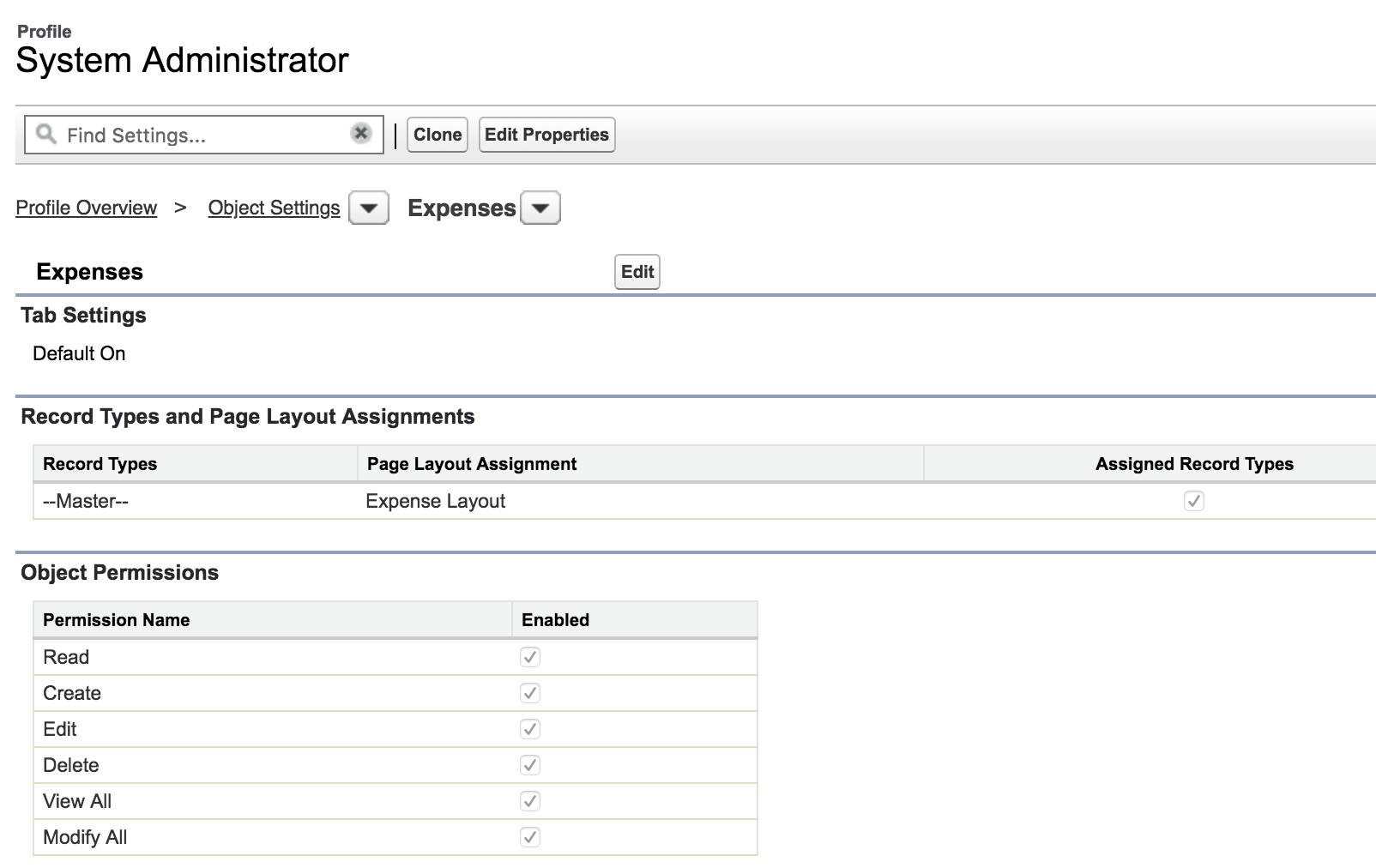
Here is a simple tip to check all checkboxes in a page. I found this particularly useful in granting FLS permission to a profile. Go to your profile > Object Settings > The object you want to add FLS to & click on edit button, Open Developer Console. If you are using Google Chrome, it is available in Menu > More tools > Developer Console 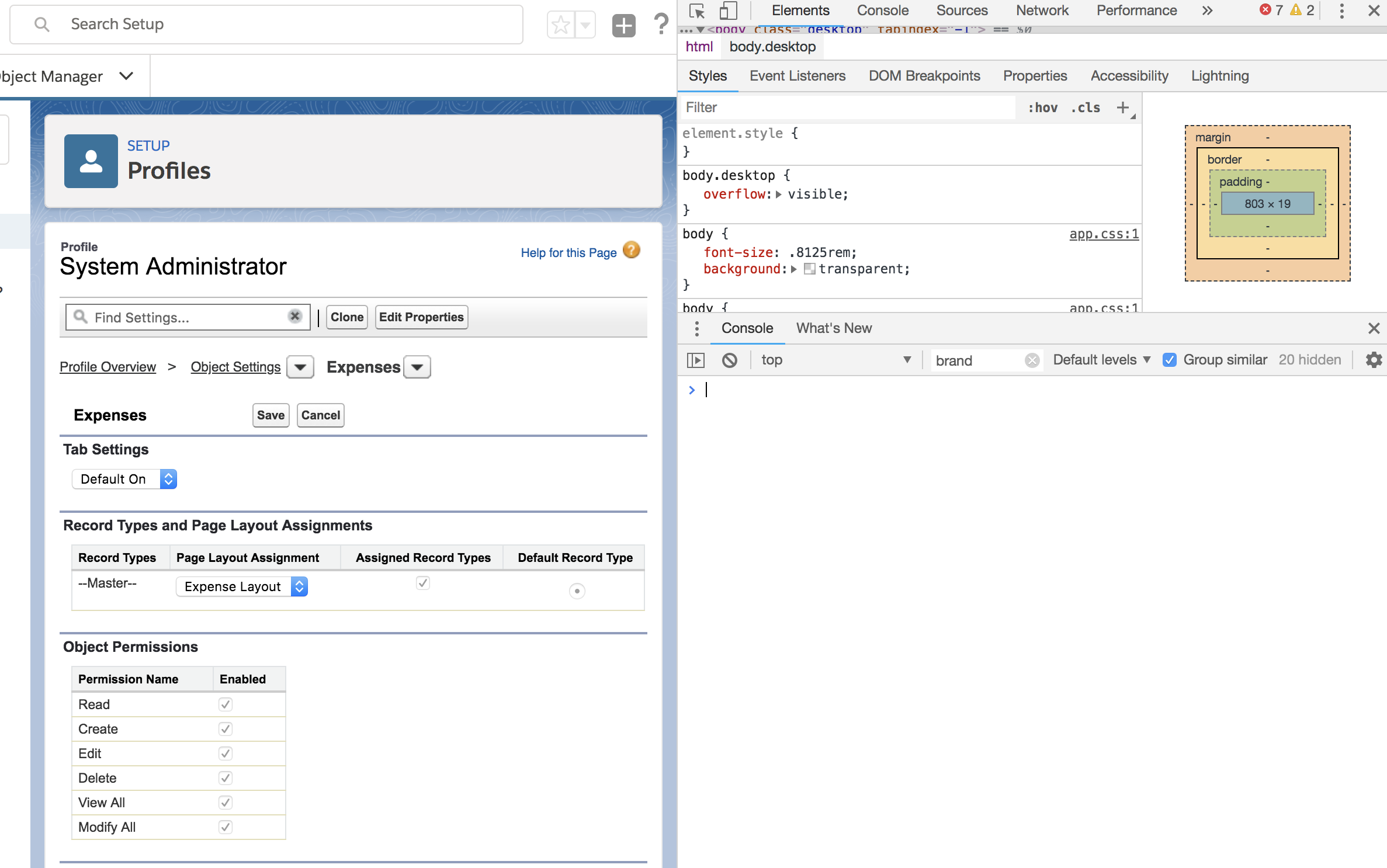 Enter the following code snippet in the Console and hit enter, This will check all checkboxes in the page,
 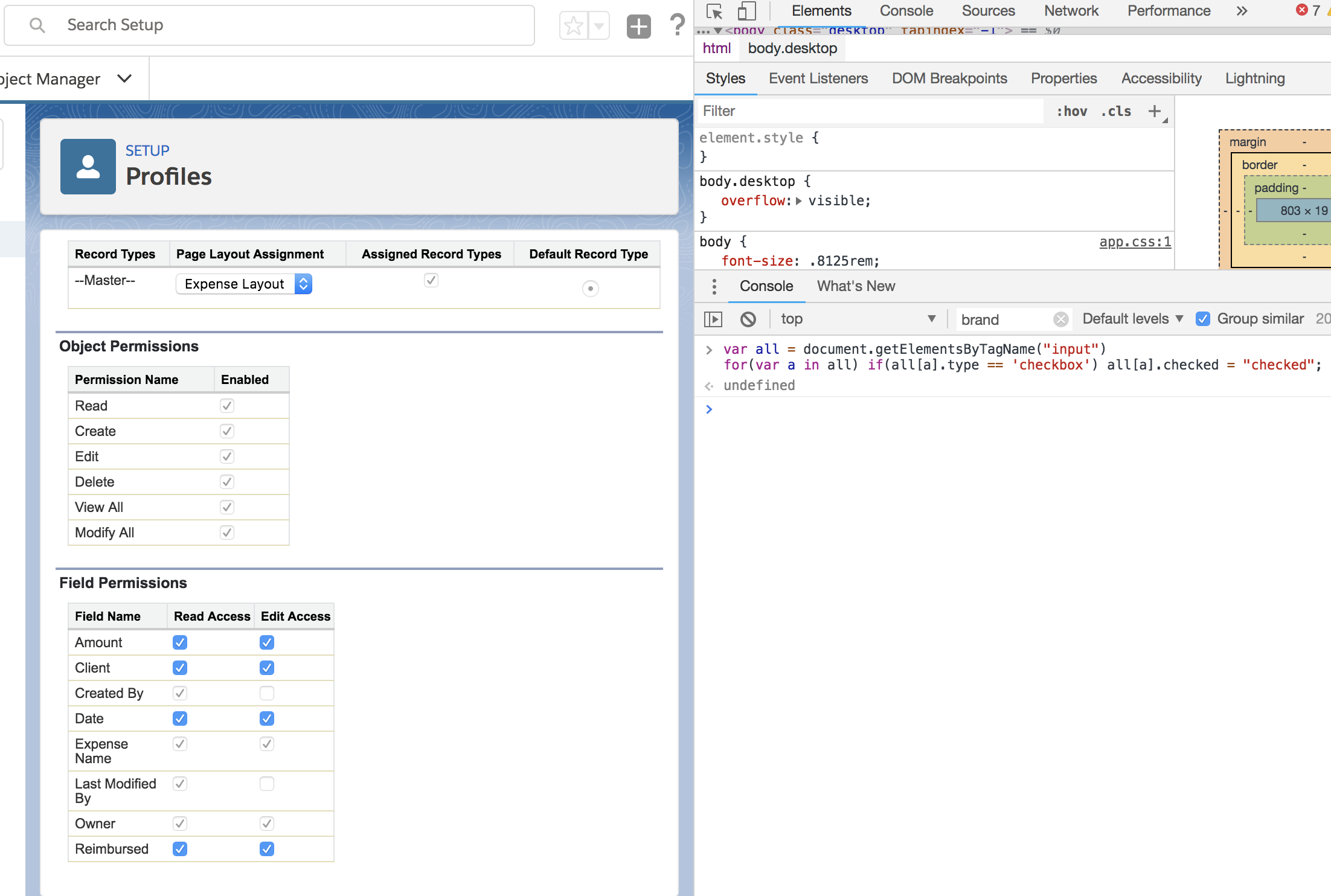 Save your page.
Subscribe
Get new posts by email
Enterprise architecture, AI systems, and platform strategy.